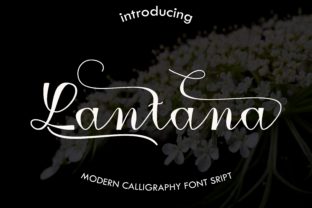
Lantana: A Modern Calligraphy Font Best Used with Intention
Lantana, a modern calligraphy font handcrafted by Imun Studio, brings an organic, flowing warmth to digital and print design. Its natural ink variations and elegant letterforms make it an immediate favorite for creatives seeking a personal touch. But beauty alone doesn't guarantee a successful project. The distinction between a polished, professional result and one that feels amateurish often comes down to how well you understand the tool you're using. Lantana is not a generic script font. It is a specialized instrument, and like any fine tool, it demands thoughtfulness.
Many users, from small business owners designing their own branding to hobbyists crafting wedding invitations, stumble over the same practical hurdles. These mistakes don't just affect aesthetics—they impact readability, brand perception, and overall usability. This article highlights the common oversights when working with Lantana and offers clear, actionable advice to help you use it effectively.
The Allure and the Pitfalls of Handcrafted Typefaces
There is a reason fonts like Lantana are so popular. In a world saturated with sterile, mechanical typography, a hand-drawn font feels human. It conveys care, creativity, and authenticity. However, this human quality comes with specific constraints that many beginners overlook. Understanding these constraints is the first step toward making Lantana work for you, rather than against you.
1. Treating Lantana Like a Standard Body Text Font
The mistake: Using Lantana for long paragraphs, small text, or complex informational layouts.
Why it fails: Lantana is a display calligraphy font. Its slender, high-contrast strokes and organic spacing are designed to catch the eye, not carry dense information. At small sizes—anything below 16 or 18 points—the delicate hairlines can thin out, blur, or even disappear, especially on digital screens. Readers will struggle to follow the text, leading to frustration and disengagement. This is the most common error I see: someone falls in love with the aesthetic and forces it into a role it was never meant to fill.
The better approach: Reserve Lantana for short-form, high-impact uses. It excels in headlines, pull quotes, single words, logos, product names, and short greeting card messages. For everything else, pair it with a clean, highly readable sans-serif font like Open Sans, Lato, or Montserrat. This contrast creates a clear visual hierarchy. The headline draws attention with its personality, while the body copy remains effortlessly readable. Your message gets the best of both worlds.
2. Ignoring Lantana's OpenType Features
The mistake: Installing the font and using only the default lowercase and uppercase letters, completely ignoring ligatures, swashes, and stylistic alternates.
Why it fails: A handcrafted font like Lantana was built with nuance. The standard alphabet is just the foundation. The real magic lives in the OpenType features—the alternate characters that add flourishes, the connecting ligatures that improve flow, and the swashes that turn a simple letter into a decorative element. Using only the defaults is akin to buying a high-end camera and only using the automatic mode. You are paying for capabilities you are not utilizing, and your work will look noticeably flat compared to what the font is capable of producing.
The better approach: Before you finalize any design, open the Glyphs panel or Character Map in your software. Adobe Illustrator, Photoshop, InDesign, and even Canva (through its character map feature) allow you to access these alternates. Look for swashes on the first and last letters of your words. Experiment with the contextual alternates to see how the letters connect. This step alone can elevate a simple wordmark from ordinary to extraordinary. Before purchasing Lantana, confirm that your primary design software supports OpenType features. If you are using a basic text editor, you simply will not see these options.
3. Overlooking the Critical Need for Manual Spacing
The mistake: Assuming the automatic kerning and tracking in your software will produce perfect spacing with Lantana.
Why it fails: Calligraphy fonts, by their very nature, have uneven spacing. The sweeping curves and extended swashes mean that some letters will naturally sit closer together or further apart than others. Relying on default spacing often results in awkward gaps or uncomfortable collisions, particularly between challenging letter pairs like "A" and "v," "L" and "a," or "T" and "h." This can make a carefully crafted headline look clumsy and unconsidered.
The better approach: Treat spacing as a manual task, not an automatic one. When using Lantana for display purposes:
- Zoom in to at least 200% so you can clearly see the negative space between each character.
- Kern manually. Adjust the space between individual letter pairs until the rhythm feels balanced and the flow looks natural.
- Adjust tracking carefully. If you need to use Lantana for a longer phrase, you may need to increase the overall tracking slightly to improve legibility. Just be careful not to overdo it, as too much space will destroy the calligraphic connection.
- Test in context. What looks perfect on a 27-inch monitor may look tight on a business card or loose on a billboard.
4. Mismatching Lantana with Your Brand Identity or Project Tone
The mistake: Using Lantana in a context where its style contradicts the core message of the brand or project.
Why it fails: Every typeface carries emotional weight. Lantana, with its handcrafted, flowing, and slightly romantic character, communicates warmth, creativity, elegance, and a personal touch. Applying it to a corporate law firm's annual report, a heavy machinery manufacturer's website, or a data-heavy dashboard creates a jarring disconnect. The audience will sense that something is "off," even if they can't articulate why. The font undermines the credibility of the content.
The better approach: Be intentional about the emotional signal Lantana sends. It is an excellent choice for lifestyle bloggers, wedding and event planners, boutique shops, beauty and wellness brands, artist portfolios, coffee shops, and creative entrepreneurs. If your project revolves around automation, formality, heavy industry, or strict professionalism, look for a more neutral or authoritative typeface. Always ask yourself: "Does this font reinforce the feeling I want my audience to have?" If the answer is no, keep looking.
5. Neglecting the Practical Details of Licensing and File Formats
The mistake: Downloading Lantana from an untrusted source or failing to read the specifics of the licensing agreement before using it commercially.
Why it fails: Fonts are intellectual property. Using a font without the proper license can lead to legal issues, especially if you are a business owner or freelance designer. Furthermore, many free or pirated versions of premium fonts are deliberately stripped of OpenType features, alternate characters, and proper hinting. You might think you have Lantana, but you are actually using a broken, inferior copy that will cause problems down the line. Similarly, buying a desktop license when you need a web license, or vice versa, means you are using the font outside its permitted scope.
The better approach: Always purchase fonts directly from the foundry—in this case, Imun Studio's official website—or from reputable, authorized marketplaces. Read the license agreement carefully. Key questions to answer:
- Am I buying a desktop license (for static images, print, and PDFs) or a web license (for embedding on a website using @font-face)?
- How many users or domains does the license cover?
- Does the license cover commercial use for client projects?
- Are the OpenType features included in the file I am downloading?
Investing in the correct license from the start saves you from legal headaches and ensures you have a complete, high-quality font file that works properly across your software.
6. Forgetting to Test Lantana in Its Final Environment
The mistake: Designing exclusively on a high-resolution screen without testing how Lantana performs in its final medium.
Why it fails: A font that looks delicate and stunning on a retina display may render as a muddy, thin mess when printed on uncoated paper or viewed on an older mobile browser. Different operating systems and browsers handle font rendering differently. Without testing, you risk investing hours into a design that fails to communicate effectively in the real world.
The better approach: Always proof your work in context. If Lantana is going on a printed invitation, print a physical sample on the exact paper stock you intend to use. Does the ink bleed? Are the fine strokes too thin? If it is going on a website, test it on multiple devices, browsers (Chrome, Safari, Firefox), and operating systems (Windows, macOS, iOS). Check how it looks with different screen brightness levels. Adjust the font size, weight (if a variable version is available), and letter-spacing until it performs well in the intended environment. A beautiful font is only beautiful if it is legible where it matters most.
Making Lantana Work for You
Lantana is not a font you can simply install and forget. It requires attention, experimentation, and a willingness to work with its organic character rather than against it. The designers at Imun Studio gave it life, but it is up to you to give it purpose. When you respect its limitations—short-form use, need for manual spacing, dependency on OpenType features, and specific aesthetic context—it becomes an incredibly powerful asset. It adds a layer of human connection that standard fonts rarely achieve.
Before your next project, take a moment to evaluate not just the font, but the environment it will live in and the message it must carry. A little extra thought will save you from common mistakes and help you produce work that is not only beautiful but genuinely effective.