Monomod: A Simple Modular Monospace Font That Actually Fits Your Workflow
If you spend any time staring at a code editor, terminal, or plain-text document, you know how much a font can affect your day. It sounds dramatic until you've spent an afternoon squinting at a poorly spaced typeface, trying to tell a lowercase L from a number one. Monomod enters that space as a simple modular monospace font, and while that description sounds straightforward, the way it plays out in real work is worth exploring. This isn't a font that screams for attention. It's one that quietly makes your tools feel more like they belong to you.
What Monomod Actually Brings to the Table
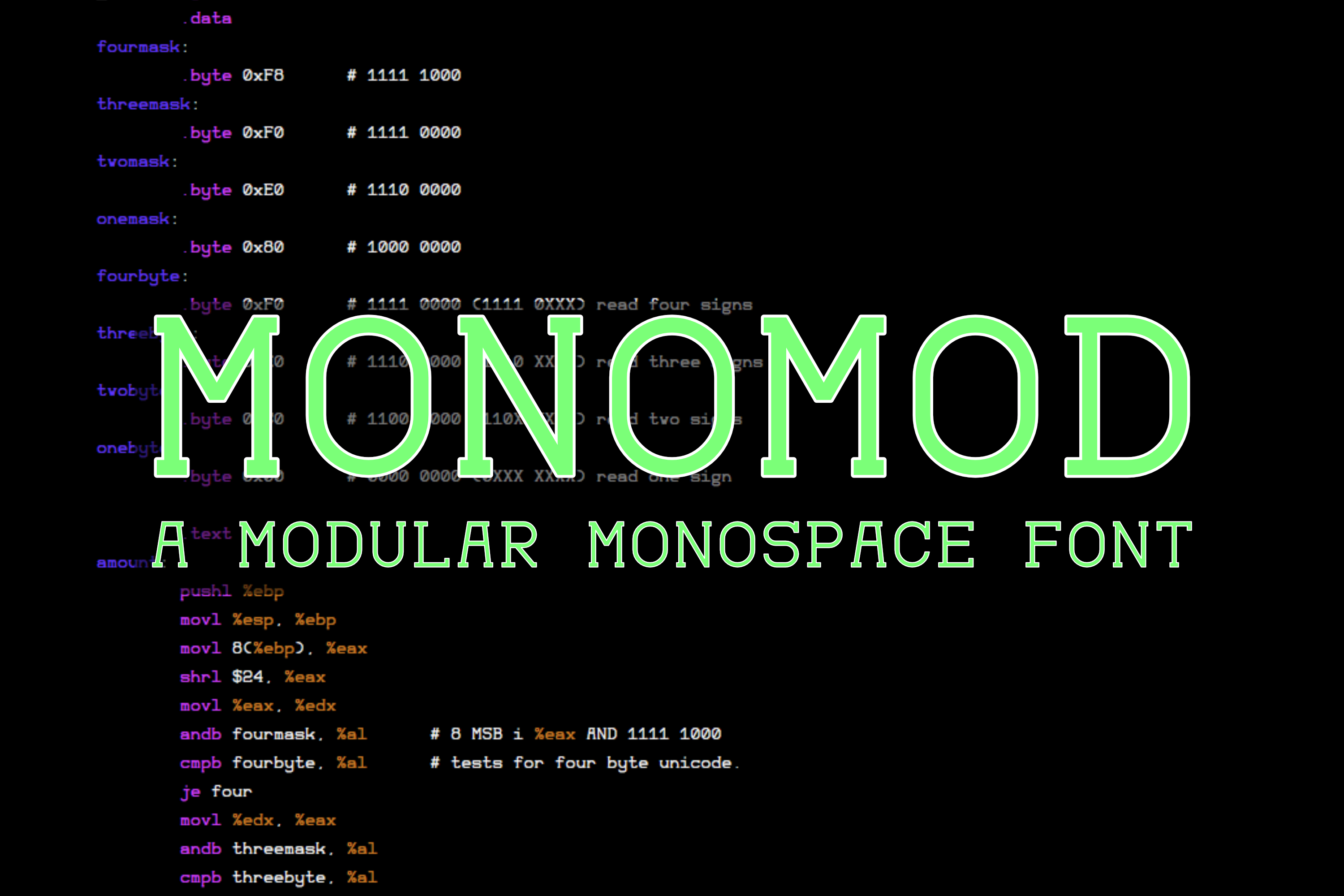
At its core, Monomod is a monospace typeface built around modular shapes. Every character occupies the same horizontal space, which is the defining trait of monospace fonts, but the modular construction means the letterforms are composed from repeating geometric components. That gives it a consistent, almost architectural look. Each glyph feels like it was assembled from the same family of parts, and that creates a visual rhythm that your eyes pick up on quickly.
What makes it different from your average system monospace is that it doesn't try to be fancy. It's not pretending to be a retro terminal font, and it's not trying to replicate the look of a typewriter. It's just clean, predictable, and deliberately minimal. For anyone who spends hours reading or writing in monospace environments, that kind of predictability translates directly into less eye strain and fewer misreads.
The Developer Who Just Wants to Ship Code
If you write code for a living, you already know that not all monospace fonts are created equal. Some are too tall, making it hard to see enough lines on screen. Others are too wide, forcing horizontal scrolling or awkward line breaks. Monomod sits in a sweet spot where the character width is generous enough to be readable but compact enough to keep your code visible. The modular construction helps here because similar-looking characters, like 'rn' versus 'm', or '0' versus 'O', have distinct shapes even though they share the same underlying geometry. That distinction matters when you're debugging at 11 p.m. and your brain is running on fumes.
I've seen developers stick with the same monospace font for years out of habit, even when it causes small frustrations every single day. The reason is usually that switching fonts feels like a hassle. Monomod doesn't require that kind of commitment fatigue. It installs cleanly, works well at multiple sizes, and doesn't demand that you reconfigure your whole editor around its quirks. You drop it in, set your preferred size, and within a few minutes it starts feeling natural. That's the kind of experience that makes a font stick.
Writers and Technical Documentarians
Monospace fonts aren't just for coders. Technical writers, documentation specialists, and anyone who produces content with code snippets, file paths, or structured data benefits from a clean monospace. When you're writing documentation that includes inline code blocks, a font like Monomod makes those sections visually distinct without being jarring. The modular shapes help maintain readability even at smaller sizes, which is critical when you're fitting code examples into a limited column width.
There's also the matter of alignment. If you've ever tried to manually align columns of text in a plain-text file, you know the pain of uneven characters. Monomod's modular consistency ensures that every column stays true. That might sound like a small thing, but when you're maintaining a README file or a configuration guide, clean alignment reduces friction for the reader. And if the reader happens to be a developer skimming for the relevant part, they'll thank you for not making them guess where columns start and end.
Designers Prototyping in the Terminal
Designers who work in the command line or use text-based tools like Vim, Emacs, or tmux often find themselves caught between the aesthetic and the functional. They want a font that looks good, but they also need it to perform under heavy use. Monomod appeals to that crowd because its modular design has an inherent visual order. There's a sense of discipline in how the letters sit next to each other, and that can make a terminal session feel less chaotic, especially when you're juggling multiple panes and windows.
Some designers also use monospace fonts for mockups or wireframes, especially when they're iterating on interface text or prototyping layouts in plain text. Monomod's even spacing and geometric consistency make it a reliable choice for those early-stage explorations. You're not worrying about kerning or ligatures or any of the typographic details that matter in a finished design. You just need something that lays text out cleanly and lets you focus on structure.
Anyone Who Takes Notes in Plain Text
There's a growing community of people who write everything in plain text files. Markdown, org-mode, or straight-up .txt files. They use them for journaling, planning, project notes, and even full drafts of articles. For that crowd, the font they look at for hours every day matters. Monomod works well here because it's easy on the eyes over long sessions. The modular shapes don't have the sharp, spiky details that some monospace fonts rely on for character distinction. Instead, they use clear, rounded geometry that feels softer and less aggressive.
If you're someone who likes to write in a distraction-free environment, the font itself becomes part of that minimalist philosophy. Monomod doesn't call attention to itself. It doesn't have decorative flourishes or quirky characters that pull your mind out of the text. It just sits there and lets you work. For a writer, that kind of invisibility is exactly the point.
System Administrators and Ops People
Sysadmins and DevOps engineers live in terminals. They monitor logs, edit config files, and run scripts across multiple servers. Their font needs to be reliable at small sizes, because screen real estate is always at a premium. Monomod performs well at sizes like 9pt or 10pt, where some fonts become muddy or the characters start to bleed into each other. The modular construction keeps each shape distinct even when it's tiny, which is a huge advantage when you're scanning a wall of log output for that one error line.
There's also the practical consideration of font licensing and portability. Monomod's simplicity extends to its availability. It's easy to bundle with dotfiles or include in a setup script, and it renders consistently across different operating systems and terminal emulators. That portability is a big deal for anyone who works across multiple machines or needs to share configurations with a team. Nobody wants a teammate's terminal to look broken because the font isn't installed correctly.
What to Think About Before You Commit
No font is perfect for everyone, and Monomod has its considerations. The modular aesthetic, while clean and disciplined, might feel too uniform for some tastes. If you're used to the organic curves of something like Fira Code or the hand-drawn feel of Comic Mono, Monomod's geometric consistency could come across as sterile. That's a matter of personal preference, but it's worth trying before you adopt it full-time.
Another point to consider is language coverage. Monomod is designed with a focus on common character sets used in programming and technical writing. If you work extensively with characters outside that range, such as certain accented letters, Cyrillic, or mathematical symbols, you'll want to check the coverage details. A font that works for English and Western European languages might not serve someone working in Polish or Czech or someone who needs Greek letters regularly. Always test with your actual workload, not just a sample sentence.
There's also the question of ligatures. Many modern monospace fonts include programming ligatures that combine character pairs like '->' or '!=' into a single glyph. Monomod, being simple and modular, does not focus on ligatures. If you've grown accustomed to them, you'll miss them initially. Some users find that they adapt within a few days, while others feel the absence every time they type an arrow. It's a small thing that becomes a dealbreaker for a specific subset of users.
Strengths That Keep People Coming Back
Despite those considerations, Monomod has strengths that make it a lasting choice for many. The consistency of the modular design means that once your eyes adjust, you can read text faster. Your brain stops guessing at characters and starts processing whole words and patterns. That's a subtle gain, but over an eight-hour workday it adds up to real fatigue reduction.
The font also scales well across different display types. On a high-DPI monitor, it looks sharp without being overly thin. On a lower-resolution screen, it maintains clarity because the shapes are built from solid geometric forms rather than delicate strokes. That robustness is something you don't appreciate until you switch from a MacBook screen to an external monitor or a projector and the font doesn't fall apart.
Finally, Monomod has a certain timelessness. It doesn't chase trends. It doesn't look like it belongs to a specific decade or design movement. That means it's likely to still feel right five years from now. For anyone who dislikes churning through fonts or updating toolchains, that kind of stability is worth more than a flashy new feature set.
Monomod is not the loudest font in the room, and that's exactly why it works. It's a tool that does its job without asking for anything in return. If you work in text, whether code, documentation, or plain notes, it deserves a spot in your toolbox. Give it a try on a real project, not just a test file. You might be surprised how quickly it stops being a font you're evaluating and starts being a font you're using.